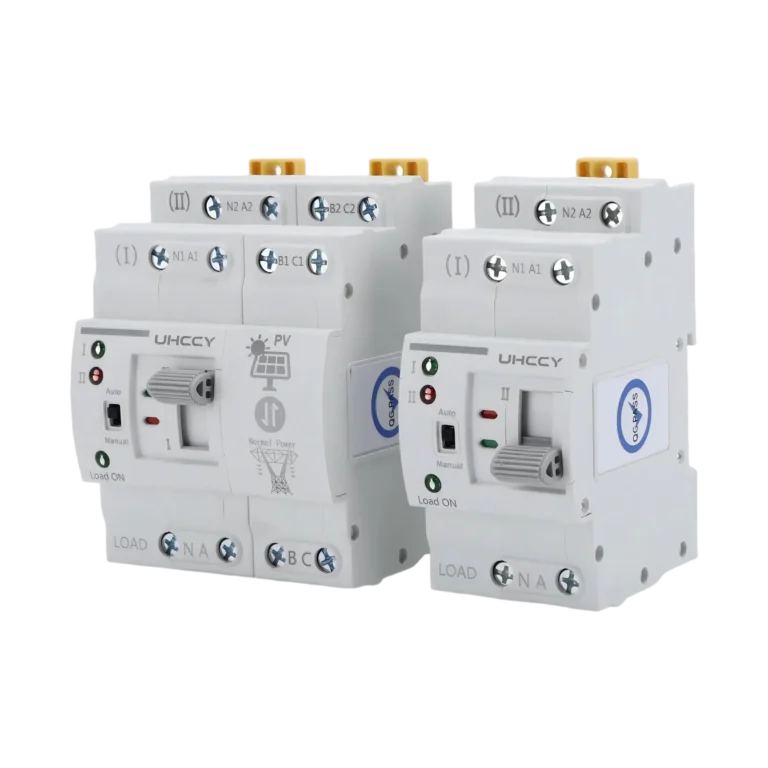
Automatic Transfer Switch

DIN Rail Automatic Transfer Switch UH-PW-ATQ2-1

Model UH-PW-ATQ2-1

Compact DIN-rail automatic transfer switch for automatic changeover between a primary and backup AC power source. Available in 2P and 4P configurations, with automatic/manual operation and clear source and load status indication for residential and light-commercial backup power systems.

  • Automatic Dual Power Transfer
  • 2P & 4P Configurations
  • Auto / Manual Operation
Rated Current 63 A
Pole Configuration 2P / 4P
Operating Mode Automatic / Manual
Mounting Method DIN Rail Mounting

Confirm the rated voltage, rated current, number of poles, conductor size, backup power source, load characteristics, and upstream protection before installation.

Features

Key Product Features

Automatic Dual Power Transfer
2P & 4P Configurations
Auto / Manual Operation
Fast Power Changeover
Clear Source Status Indication
Compact DIN-Rail Design

Automatic Primary and Backup Power Transfer

The transfer switch monitors the available power sources and automatically transfers the connected load from the primary supply to the backup supply when the primary source becomes unavailable or abnormal.

When the preferred source is restored, compatible versions automatically return the load to the primary power supply.

This automatic changeover helps reduce interruption to essential electrical loads during utility power failures.

Dual Power Source Architecture

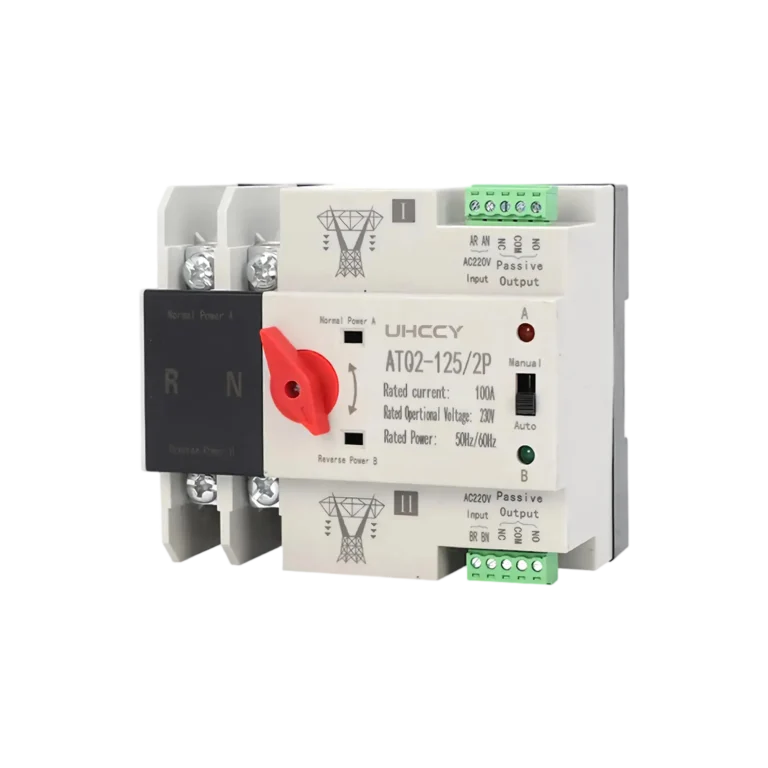
Separate Source I and Source II inputs allow two AC power sources to be connected to one common load output.

Typical source combinations include utility mains with a standby generator, or other compatible primary and backup AC supplies.

The mechanical transfer structure prevents the two sources from being connected to the load simultaneously during normal operation.

Automatic and Manual Operating Modes

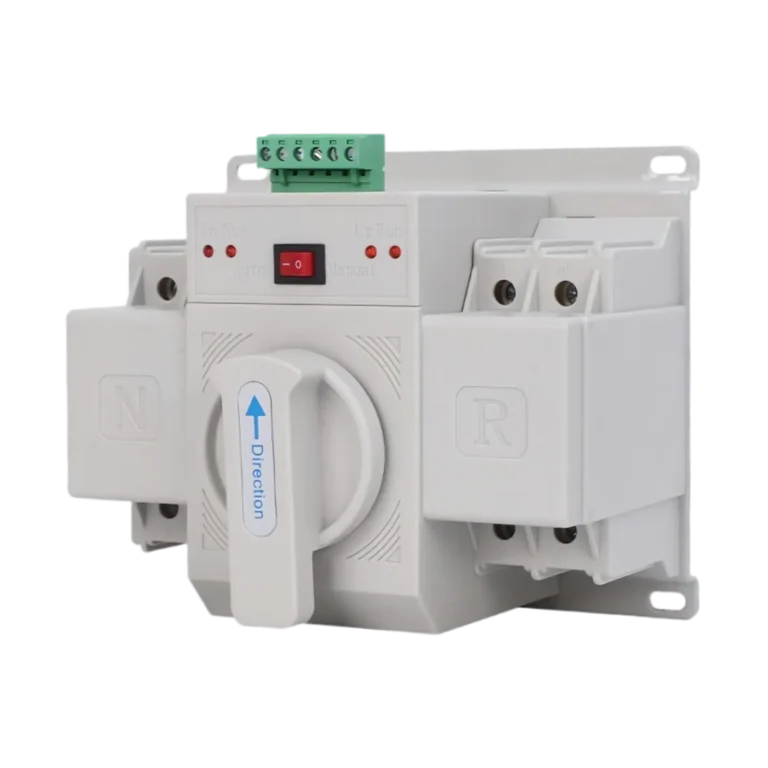
The front selector allows the transfer switch to operate in either automatic or manual mode.

In Auto mode, source transfer is controlled automatically according to the detected supply condition.

In Manual mode, the front operating handle allows maintenance personnel to select Source I or Source II manually when required.

2P and 4P Configurations

The product is available in two pole configurations for different electrical systems.

The 2P version switches Live and Neutral in single-phase systems.

The 4P version switches three phase conductors and Neutral in compatible three-phase four-wire systems.

This allows the same product platform to cover common residential and light-commercial backup power applications.

Compact DIN-Rail Construction

The modular housing is designed for direct installation on standard DIN rail inside electrical distribution boards and control cabinets.

Compared with conventional panel-mounted transfer equipment, the compact structure reduces enclosure space requirements and simplifies integration into residential and small commercial electrical systems.

Dedicated Manual Transfer Handle

A recessed front operating handle provides direct mechanical control when the device is placed in manual mode.

The handle clearly indicates the selected transfer position and provides a practical method for commissioning, inspection, and maintenance procedures.

Technical Data

Technical Specifications

Review the complete technical parameters for product selection and project verification.

Parameter Value
Rated Voltage AC 230 / 400 V
Rated Current 63 A
Rated Frequency 50/60 Hz
Power Sources Normal + Backup
Transfer Positions Source I / Source II
Pole Configuration 2P / 4P
2P Application Single-Phase L + N
4P Application Three-Phase + N
Utilization Type PC-Class Transfer Switching Equipment*
Parameter Value
Operating Mode Automatic / Manual
Transfer Function Primary-to-Backup Automatic Changeover
Return Function Automatic Return to Primary Source
Transfer Time <50 ms
Source Priority Source I / Primary Supply
Manual Operation Front Manual Transfer Handle
Source Indication Source I / Source II LED Indicators
Load Indication Load ON Indicator
Parameter Value
Mounting Method DIN Rail Mounting
Installation Location Distribution Board / Control Cabinet
Input Arrangement Dual Power Inputs at Top
Load Output Common Load Terminals at Bottom
Housing Insulated Modular Enclosure
Installation Orientation Vertical DIN-Rail Installation

Selection

Selection Guide

Select the automatic transfer switch according to the electrical system, rated load current, number of poles, source voltage, backup power type, and required transfer characteristics.

The ATS should not be selected only according to its maximum rated current. The upstream protection, conductor capacity, load characteristics, and backup source must also be coordinated with the selected model.

ModelValue
2P or 4P Choose 2P for compatible single-phase systems where both Live and Neutral must be transferred. Choose 4P for compatible three-phase four-wire systems where all three phase conductors and Neutral must be transferred.
Rated Current Select a rated current equal to or greater than the normal load current while ensuring that conductor sizing and upstream protection are correctly coordinated.
Primary and Backup Power Sources Source I is normally configured as the preferred or primary supply. Source II is normally used as the standby supply. Typical configurations include: Utility + Generator Primary Utility + Secondary Utility Other source combinations should only be used when their voltage, frequency, waveform, earthing arrangement, and transfer requirements are compatible with the selected ATS.
Load Characteristics Consider both normal operating current and starting or inrush current. Motors, pumps, compressors, transformers, and other inductive loads can draw significantly higher current during startup. Confirm the load characteristics before selecting the ATS current rating.
Transfer Requirement For general residential and light-commercial backup systems, a compact DIN-rail ATS provides convenient automatic transfer between two power sources. Applications requiring true zero-interruption transfer, UPS-level continuity, synchronization of independent sources, or transfer of mission-critical loads require a specifically engineered power system and should not rely solely on a standard mechanical ATS.

Applications

Where This Product Is Used

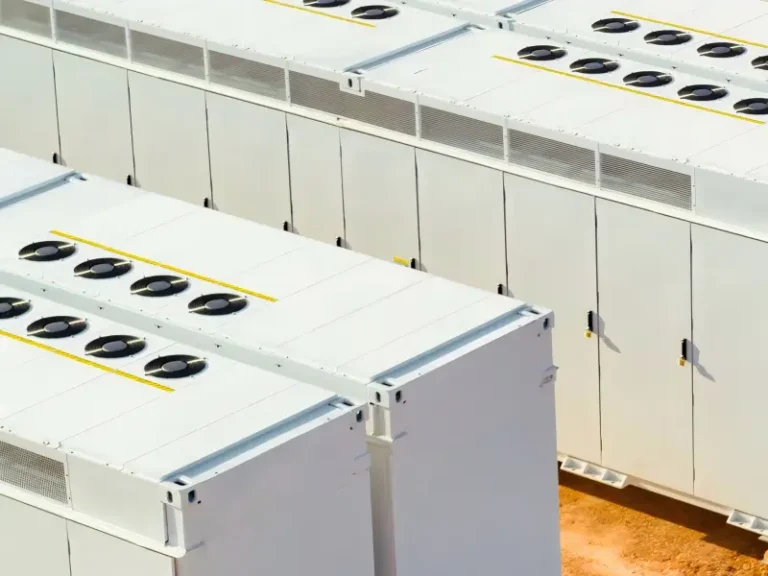
Energy Storage Systems

Energy Storage Systems

DC protection, isolation and switching components for battery energy storage and related DC power systems.

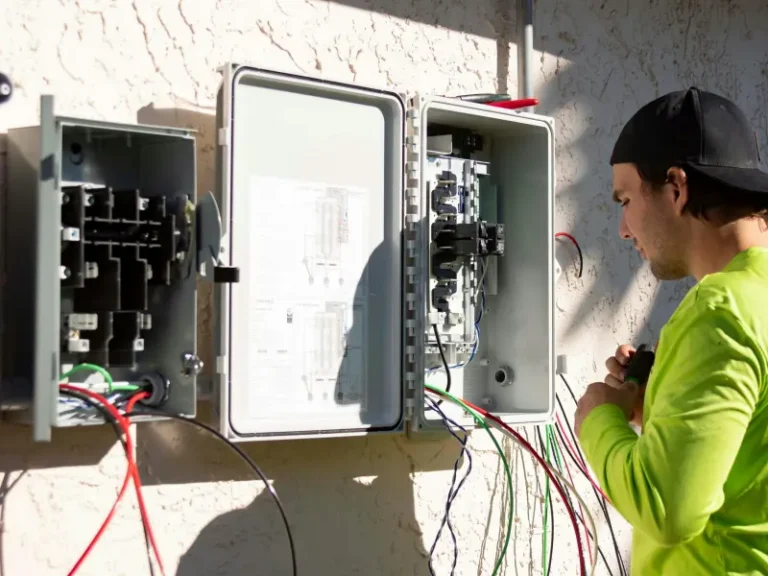
Residential Electrical

Residential Electrical

Protection, switching and backup-power components for residential distribution boards and low-voltage electrical systems.

Solar PV Systems

Solar PV Systems

Protection, connectivity and distribution components for photovoltaic arrays, string circuits and related solar DC systems.

The DIN Rail Automatic Transfer Switch is designed for electrical systems that require automatic selection between a normal power source and a standby power source.

Typical applications include:

Residential distribution boards
Houses and apartments with backup generators
Villas and small commercial buildings
Shops and offices
Telecom and monitoring equipment
Security and access-control systems
Lighting circuits
Water pumps and control systems
Small equipment rooms
Backup power distribution panels

The 2P version is primarily suited to single-phase systems, while the 4P version is intended for compatible three-phase four-wire systems requiring switched neutral.

Installation

Installation Guidance

Install the transfer switch on a compatible DIN rail inside an electrical distribution board or control cabinet.

2P Version

Connect the Primary Power Source / Source I to the designated N and L input terminals.

Connect the Backup Power Source / Source II to the second N and L input terminals.

Connect the outgoing circuit to the bottom terminals marked LOAD N / L.

4P Version

Connect the three phases and Neutral of Source I to the corresponding primary input terminals.

Connect the three phases and Neutral of Source II to the corresponding backup input terminals.

Connect the common three-phase + Neutral load to the bottom LOAD terminals.

Maintain the correct phase sequence and Neutral connection according to the wiring diagram supplied with the selected model.

After completing the wiring:

Verify all input and output connections.
Confirm that Source I and Source II are connected to the correct terminals.
Check terminal tightness.
Test operation in Manual mode.
Return the selector to Auto mode.
Test primary-source failure and automatic transfer before commissioning the system.

Do not manually operate the transfer handle while the selector is in AUTO mode.

Important Notes

Confirm the rated voltage, rated current, number of poles, conductor size, backup power source, load characteristics, and upstream protection before installation.

FAQ

Frequently Asked Questions

What is a DIN rail automatic transfer switch?

A DIN rail automatic transfer switch, or ATS, automatically transfers a connected load between two AC power sources.

It is commonly used with a primary utility supply and a standby generator or another compatible backup power source.

What happens when the primary power supply fails?

In automatic mode, the ATS detects the loss or abnormal condition of the preferred Source I and transfers the load to Source II when the backup supply is available.

Compatible versions automatically transfer the load back to Source I after the preferred power supply returns to normal.

What is the difference between the 2P and 4P versions?

The 2P version is designed for compatible single-phase systems and switches Live and Neutral.

The 4P version is designed for compatible three-phase four-wire systems and switches all three phase conductors plus Neutral.

Does the ATS have automatic and manual modes?

Yes.

Automatic mode allows the device to manage source transfer automatically.

Manual mode allows the operator to select the power source using the front transfer handle.

Can I move the manual handle while the switch is in Auto mode?

No.

Set the selector to Manual before using the mechanical operating handle. Do not force the handle while the ATS is operating in automatic mode.

How quickly does the ATS transfer between power sources?

This product platform is commonly designed for transfer times below approximately 50 ms.

The exact transfer time of the supplied UHCCY model should be confirmed from its final technical datasheet.

Can it be used with a generator?

Yes, compatible versions are commonly used for utility + generator backup power systems.

The generator output voltage, frequency, waveform, power capacity, and earthing arrangement must be compatible with the ATS and connected load.

Can it be used with a solar inverter?

Do not assume compatibility solely because the inverter produces AC output.

Some ATS versions are designed specifically for utility and generator systems, while others support inverter applications. Confirm the inverter waveform, voltage stability, power output, neutral arrangement, and the ATS model specification before selection.

Does this automatic transfer switch provide overload and short-circuit protection?

Not necessarily.

A PC-class automatic transfer switch is primarily designed to transfer loads between power sources rather than provide circuit-breaker protection.

Appropriate upstream MCB, MCCB, or fuse protection should be provided according to the electrical system unless the selected ATS model specifically includes certified protective functions.

Which power source has priority?

Source I is normally used as the preferred primary power supply and Source II as the backup supply.

Confirm the actual transfer logic of the supplied model before commissioning.

What do the indicator lights show?

The Source I and Source II indicators provide visual information about the power-source condition or active supply.

The Load ON indicator shows that electrical power is being supplied to the connected load.

How do I choose the correct current rating?

Determine the maximum continuous load current and consider starting current, conductor capacity, upstream protective device, and operating conditions.

Select an ATS rating appropriate for the complete electrical circuit rather than simply choosing the largest available current rating.

What information should I provide when requesting a quotation?

Please provide:

Required quantity
2P or 4P configuration
Rated current
System voltage
Frequency
Primary power source
Backup power source
Load type
Target market
Required certifications
OEM logo or packaging requirements

This information allows the correct ATS configuration to be selected for the project.

Need More Information About This Product?

Contact UHCCY for technical details, product selection, samples, pricing, and OEM/ODM requirements.

Get A Quote